














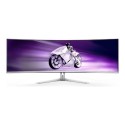
The 49-inch Curved UltraWide Monitor stands out as a powerhouse with its combination of cutting-edge technology and expansive screen real estate. The monitor's 5120 x 1440 resolution provides an immersive and expansive viewing experience, ideal for multitasking, gaming, and professional use. The ultra-wide format ensures that users have ample screen space for multiple applications, making it a versatile choice for various tasks.
Display and Performance
Equipped with an IPS panel, this monitor offers superior color accuracy and wide viewing angles, ensuring consistent and vibrant visuals from any position. The 1ms response time significantly reduces motion blur and ghosting, providing clear and precise images even during fast-paced action scenes. Additionally, the 144Hz refresh rate ensures smooth and responsive gameplay, enhancing the overall visual experience for gamers and content creators alike.
Backlight and Color
The IPS LED backlight enhances the display's brightness and color performance, delivering vivid and lifelike images. With a high dynamic range (HDR) and a typical brightness of 400 cd/m², the monitor offers deeper contrasts and more detailed visuals. The color performance is further enhanced making it suitable for professional color grading and graphic design tasks.
Ergonomics and Design
Designed with user comfort in mind, this monitor features a VESA mount compatibility (100 x 100 mm), allowing for flexible mounting options and ergonomic adjustments. The sleek and modern design includes an almost borderless frame, maximizing the screen area and providing a seamless multi-monitor setup.
Connectivity and Additional Features
Low Blue Light technology and Flicker-Free technology reduce eye strain during extended use, making it a comfortable choice for long work or gaming sessions. The built-in speakers and on-screen control add to the monitor's versatility, providing a comprehensive and high-performance display solution.
By combining an extensive feature set with superior performance and design, this 49-inch UltraWide monitor is an outstanding choice for users seeking an immersive and versatile display.




Question from Paul: Asked on 07/06/2026 Is the display 10 bit or 8 bit?
Hi, The electriQ eiq-495KCSUW144IPS is a 10-bit display (1.06 billion colours).
Thank you.
Question from Petra: Asked on 13/02/2026 Hello can it play utube ? And have aux input and output for additional speakers
Hi, The electriQ 49" 5K Curved Gaming Monitor (eiq-495KCSUW144IPS) cannot run YouTube or apps on its own, but you can watch YouTube by connecting a PC, laptop, console, or phone. It has built-in speakers and a 3.5?mm audio output for external speakers or headphones, but it does not have an AUX input for feeding audio into the monitor.
Thank you.
Question from Ice: Asked on 09/02/2026 Does the monitor have ambient lighting behind?
Hi, The ElectriQ 49" IPS 5K DQHD 144Hz Super UltraWide Curved Gaming Monitor (eiq-495KCSUW144IPS) does not have built-in ambient or RGB lighting behind the screen. It features a standard IPS LED backlight for the display, which enhances brightness and color, but does not create any glow around the monitor.
Thank you.
Question from Danny: Asked on 24/01/2026 Is the stand heigh adjustable please? I only have 19" clearance. Will the monitor fit? Many thanks.
Hi Danny,The ElectriQ 49″ 5K Ultrawide monitor does have a height-adjustable stand, but even at its lowest setting, the total height with the stand (~22.3″ / 567?mm) exceeds your 19″ clearance. The good news is that if you remove the stand and use a VESA mount or monitor arm, the screen itself (~14.4″ / 366?mm tall) will fit comfortably under your space.Thanks!
Question from Richard: Asked on 14/01/2026 Does the USB C port provide power, if so, how many Watts?
Hi, The USB-C port on the ElectriQ 49" 5K DQHD 144Hz Super UltraWide Curved Gaming Monitor (eiq-495KCSUW144IPS) is designed for video input only. It supports display from a compatible device, but it does not provide power delivery and cannot charge laptops or other devices. There is no wattage output for USB-C on this monitor — it is strictly for connecting your device to the screen.
Thank you.
Question from Alan T: Asked on 10/01/2026 Hi,
Can I display 4 windows tabs from one computer on the screen
Hi Alan,You can easily display four windows from a single computer on the ElectriQ 49" 5K DQHD ultra-wide monitor by using Windows’ Snap layouts or third-party tools like PowerToys FancyZones, thanks to its massive 5120×1440 resolution. However, if you want to show four separate devices at the same time, the monitor only supports Picture-by-Picture with two inputs, so displaying four independent sources simultaneously isn’t possible without extra hardware like a multiviewer.Thanks!
Question from Mornington: Asked on 26/12/2025 Hi is this better than a 4k monitor
Hi,The ElectriQ 49" 5K DQHD 144Hz ultrawide monitor is excellent for immersive gaming and multitasking thanks to its massive horizontal space and high refresh rate, but compared to a standard 4K monitor, it has lower vertical resolution and slightly less sharpness, so while it’s better for wide-screen productivity and fast-paced games, a 4K monitor still offers crisper images and more vertical workspace.Thanks!
Question from Mark: Asked on 23/12/2025 What is the warranty?
Hi, This comes with a 1 year manufacturer warranty.
Thank you.
Question from JP: Asked on 28/11/2025 How heavy is it with the stand?
Hi,The electriQ 49" IPS 5K DQHD 144Hz 1ms Super UltraWide Curved Gaming Monitor (model eiq-495KCSUW144IPS) weighs approximately 11.5?kg with the stand included.Thanks!
Question from Cath: Asked on 16/11/2025 What are the dimensions of just the stand that supports the monitor ??
Hi Cath, the stand for this monitor has a footprint depth of approximately 30.5 cm. This is the space the base takes up on your desk. Thank you.
Question from Cath: Asked on 16/11/2025 What is the width of the stand ?
Hi Cath, the width of the stand is approximately 565.91 mm. Thank you.
Question from Mike: Asked on 04/11/2025 Can the monitor display two independent screen views from a single laptop using either a single HDMI or two HDMIs?
Hi, This monitor supports Picture-by-Picture (PBP) mode, which allows two sources to be displayed side by side. However, to show two independent screens, your laptop must have two separate video outputs (for example, HDMI plus USB-C or DisplayPort). If your laptop only has one output, the monitor cannot split it into two independent screens — it will only display the single output.
Thank you.
Question from MartynH: Asked on 21/10/2025 Hi
What are the dimensions of the screen without the stand
Hi, it has dimensions of 1215.2W x 365.8H x 115.9D mm without the stand. Thank you.
Question from Samantha: Asked on 01/10/2025 How many screen can you split this into please - would it be able to have 4 screens on the one display?
Hi,Yes, the electriQ EIQ-495KCSUW144IPS 49-inch ultrawide monitor can be split into sections using its Picture-by-Picture (PBP) mode. PBP allows you to connect and display multiple external sources (like two different computers) side-by-side. Note that the monitor itself does not natively split a single input into four independent virtual screens.Thanks!
Question from Jonathan Short: Asked on 16/07/2025 Does this screen act like a docking station? IE could i plug in a mic and speaker? Has it got a intergrated webcam
Hi, The electriQ 49" DQHD IPS 5K monitor features 2 HDMI ports, 1 DisplayPort, 1 USB-C port (data only), 1 USB-B port, 2 USB-A ports, and a headphone jack. It includes built-in speakers but does not have an integrated webcam or microphone. While you can connect a microphone or speakers, the monitor does not function as a full docking station.
Thanks!